
Geometry Dash APK: Android, PC & iOS Guide
An APK is an Android installation package; it cannot run on an iPhone. Compare the paid official game, free Lite edition, and third-party modified builds before choosing a download. Start with your device: Android guide, PC guide, or iPhone and iPad guide.
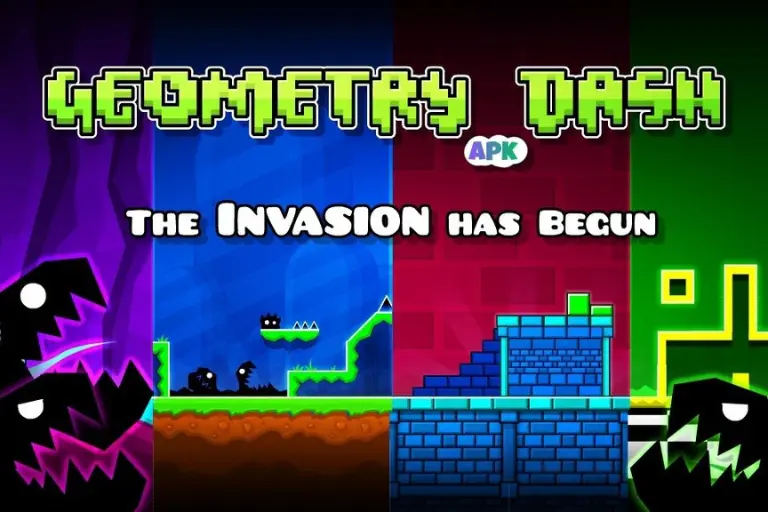
What Is Geometry Dash Mod APK?
A modified APK changes the original Android app. The publisher may alter unlocks, controls, or other behavior. The label alone does not establish which changes work or who made them. An ordinary APK can also contain the unmodified game; the file format does not make it a mod.
| Game | Geometry Dash |
|---|---|
| Official developer | RobTop Games AB |
| Official platforms | Android, iPhone/iPad, Windows and macOS |
| Update notes checked | 2.208; verify the available release for your platform |
| Full-game Google Play rating | See the current Google Play rating |
| Full-game Google Play install bracket | 10M+ on October 1, 2026 |
| Age ratings checked | Google Play: Everyone 10+; US App Store: 4+ |
| iOS download size checked | 190.6 MB; not an Android APK size |
| Modified package details | Version, size, publisher and changes depend on the exact file |
| Sources | Google Play · US App Store |
Level Difficulty: What the Ratings Mean
Difficulty labels describe the challenge, not separate game modes. Official classic levels range from Easy through Demon. Start with easier stages while you learn the controls.
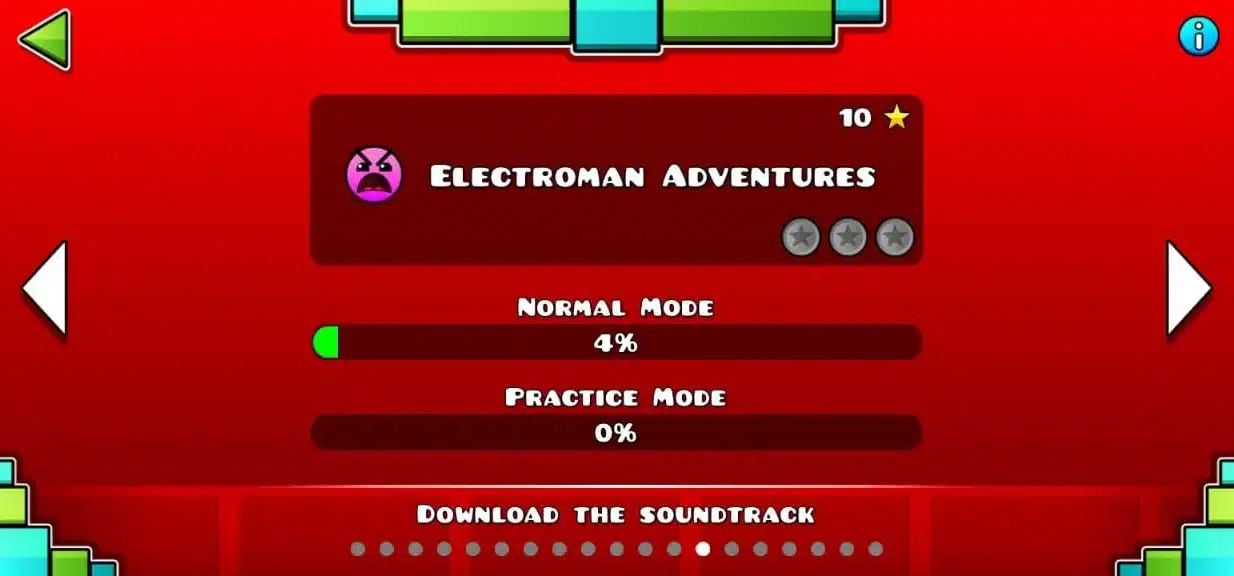
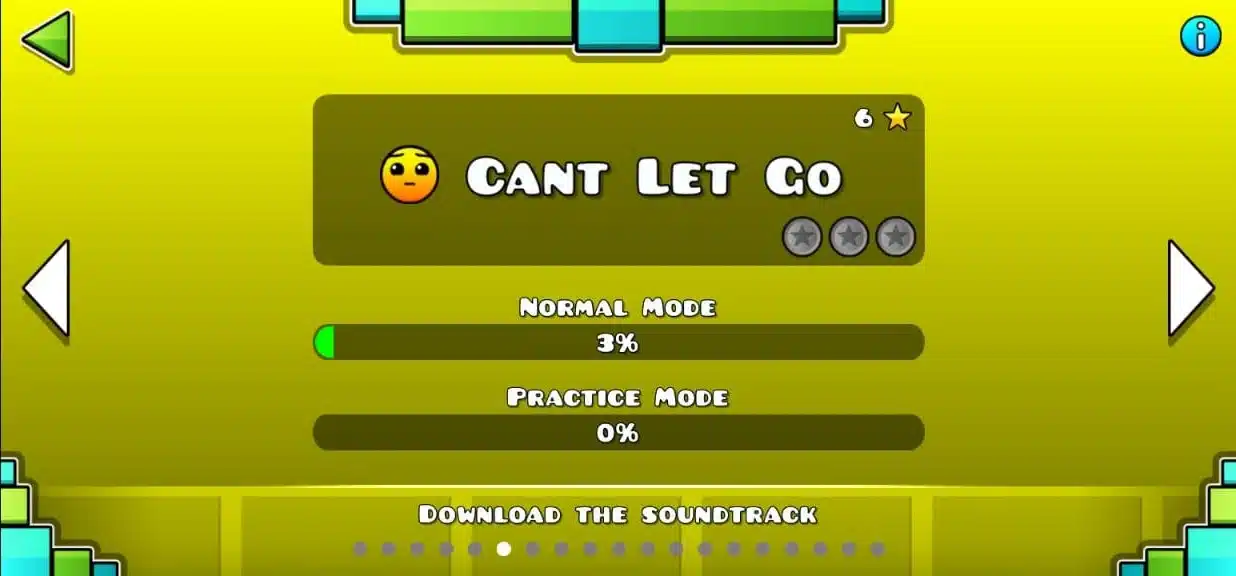
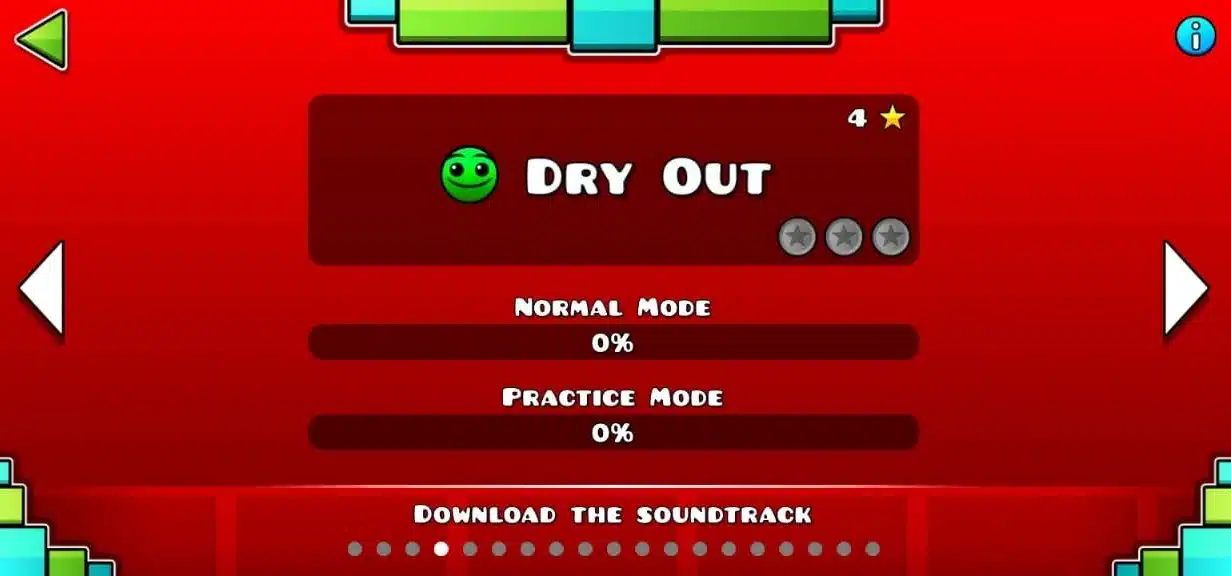
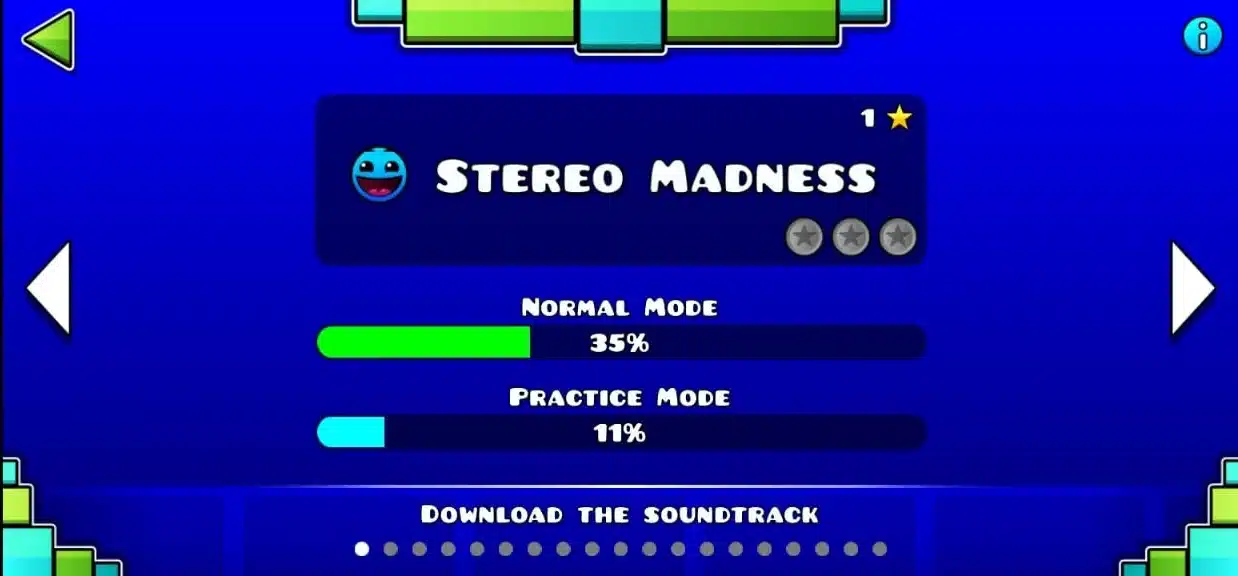
Community Demon levels have additional difficulty labels. Judge your progress by the sections you can complete consistently, rather than the label alone.
Geometry Dash Mod APK: What to Check First
Check the exact version, publisher, platform, and listed changes. A filename containing “2.2” does not identify a specific patch or prove that a modified build matches the current official release.
Look for a changelog and clear testing details. Without that evidence, claims about unlocked content, working cloud saves, or better performance remain unverified.
Choose the Right Platform
Android uses APK packages. A computer can run the native Steam version or a compatible Android emulator. An iPhone cannot install an Android APK.
Use the PC guide or iPhone guide for the appropriate route. Keep native game requirements separate from emulator requirements.
Classic vs Platformer Gameplay
In Classic mode, the character moves through the level automatically. You control actions such as jumping, flying, or changing gravity.
Platformer mode gives you movement controls as well as jumps. Its separate stages use different mechanics; one-touch advice does not explain every part of the game.
Features Included in the Official Game
The following features belong to the official full game. They do not require a modified APK. Their availability in a third-party build depends on that build.
Full Level Editor
Use the Level Editor to build a short playable section before adding decoration. Test jumps, transitions, and checkpoints early. A readable layout helps you spot problems before the level becomes harder to edit.
Customization
Icons and colors let you change your appearance. Check an item’s unlock requirement in the game before assuming it is available. Cosmetic changes do not automatically improve movement or make a difficult section easier.
Rhythm-Based Gameplay
Music can help you remember a pattern, but watch the obstacles as well. Some sections need precise inputs between beats. Learn where the next action happens instead of tapping automatically with every sound.
Community Level Browser
Browse community levels by difficulty and other available filters. Save a level you want to revisit. New downloads, song downloads, and online browsing need a connection, even when local stages work offline.
Readable Visuals
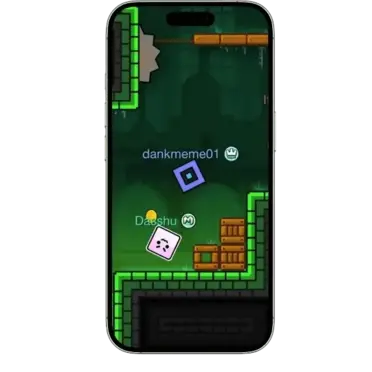
Effects and decoration can make a level harder to read. If a stage offers a low-detail option, try it when visibility or performance becomes a problem. Results depend on the level and your device.
Practice Mode
Practice Mode lets you retry sections using checkpoints. Place them before a difficult transition rather than inside a position you cannot escape. Then test the same section again without checkpoints.
Music and Timing
Use a comfortable music volume so you can hear timing cues. If wireless audio feels delayed, compare it with the device speaker or another audio setup before changing your gameplay settings.
Completion Progress
A run’s completion percentage helps identify where you keep failing. Record the troublesome section and practice its entry. Completing the section once is useful; completing it repeatedly shows whether the timing is reliable.
Performance Settings
Performance depends on hardware, level complexity, and settings. Close unnecessary apps and compare several levels before blaming the installation file. A modified package does not guarantee higher frame rates or lag-free gameplay.
Friends and Leaderboards
The official game has social features and leaderboards. Comparing progress with friends is different from playing a live multiplayer match. Any third-party multiplayer feature needs its own compatibility information.
Gravity Changes
Gravity changes alter the direction your character moves. Watch the transition and practice the first action afterward. Different character forms respond differently, so the same input does not always create the same movement.
Rewards and Unlocks
Achievements and other game requirements unlock items as you progress. Check the requirement attached to an item. Stars, coins, and other collectibles are separate statistics rather than interchangeable rewards.
Online Challenges
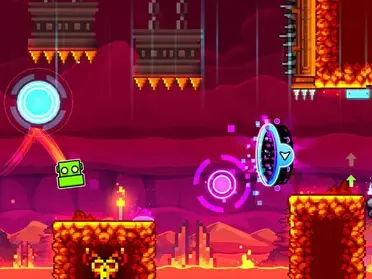
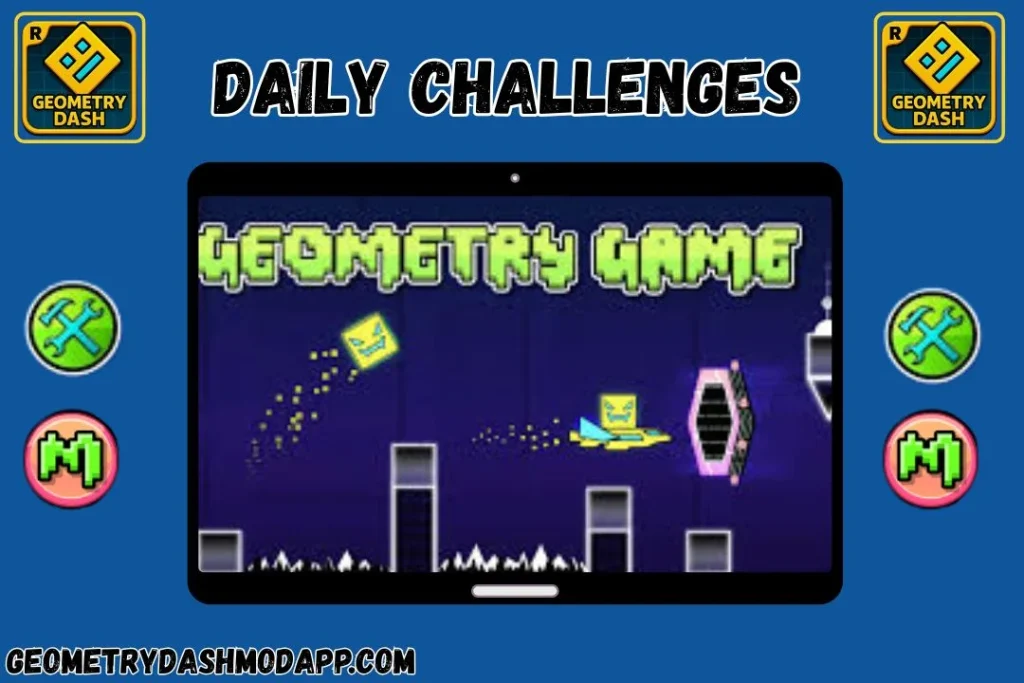
Daily levels and other online challenges offer additional stages. Their availability depends on the edition and connection. Finish a manageable challenge before moving to something harder instead of treating every new stage as a beginner level.
Level Publishing
Publishing a custom level is different from saving it locally. Test the level, check the game’s verification requirements, and confirm that your account can upload. An editor’s availability does not guarantee successful publishing.
Back Up Editor Work
Keep important editor work backed up before changing the installation. Large projects can complicate saving. If a cloud backup fails, resolve the error before uninstalling the game or assuming the project is stored online.
Character Forms vs Difficulty
Separate character forms from difficulty labels. Cube, Ship, Ball, UFO, Wave, Robot, Spider, and Swing describe movement types. Easy, Hard, Insane, and Demon describe difficulty.
Fix Installation, Crashes and Saving Errors
Identify the error before changing files. Check compatibility and available storage first. Back up progress successfully before any uninstall or reset.
Check storage, Android compatibility, and the package source. A signing mismatch or unsupported build can also block installation. Do not uninstall your working copy until you have confirmed a usable backup. Keep Play Protect enabled.
Restart the device and compare the problem across levels. Clearing cache may help on Android, but clearing app data removes local information. If you reinstall, save your progress first and use the correct platform release.
Try an available low-detail option and close unnecessary background apps. Compare a simple official stage with the problem level. Heavy effects or input delay may be level-specific; no fixed amount of free storage guarantees smooth play.
Distinguish a local editor problem from a cloud-save error. For save errors -5 or -11, RobTop recommends refreshing your login. Other failures can involve servers or save size. Follow the official account troubleshooting guide.
Which Geometry Dash Version Is Current?
Version 2.208 is part of the 2.2 update family. Check your platform’s official store for its current release and changelog. A historical version number or unofficial filename does not establish the latest available build.
Verified Update History
The table below uses official iOS version history. Dates refer to that platform unless stated otherwise. Future-version names do not establish a confirmed release date.
v2.2 (December 2023)
The Platformer Update
The original 2.2 update added Dash, Swing, Platformer stages, and substantial editor changes. It launched in December 2023. Later patches belong to the same update family.
v2.207 (November 2024)
Events and Rewards
Update 2.207 added event levels and chests, rewards, and song-trigger options. The iOS history dates it to November 11, 2024, rather than December 2023.
v2.208 (2026)
Precision and Quality of Life
Update 2.208 focuses on precision options, leaderboards, editor tracing, networking, and fixes. These are maintenance and usability changes, not the original launch of Platformer mode.
| Version | Release date | Main changes | Platform / status |
|---|---|---|---|
| 2.2 | Dec 20, 2023 | Dash, Swing, Platformer stages and editor expansion | iOS release |
| 2.205 | Jan 22, 2024 | Platformer refinements, editor tools and fixes | iOS patch |
| 2.206 | Jun 1, 2024 | NCS music-library addition and improvements | iOS patch |
| 2.207 | Nov 11, 2024 | Event levels, chests and song-trigger options | iOS patch |
| 2.208 | 2026 | Precision options, leaderboards, editor tracing and networking fixes | Historical patch; check your store for newer releases |
Track Achievements and Progress
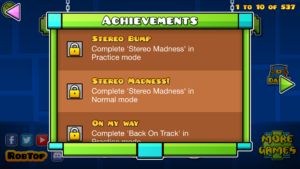
Open the game’s achievement and item menus to see the next requirement. Aim for a specific unlock rather than treating every collectible alike. Back up completed progress before replacing your installation.
Secret Coins & Unlockables
Secret Coins are hidden collectibles in classic official levels. They have their own requirements and rewards. Coins do not increase your star count.
Unlock Demon Levels
The classic Demon stages Clubstep, Theory of Everything 2, and Deadlocked have Secret Coin requirements. Check their level screens for the required total before planning a collection run.
Separate Coins, Stars and Unlocks
Read the requirement attached to the icon or color you want. Some rewards depend on coins; others depend on achievements or different collectibles. A coin total and a star total measure different things.
Practice vs Completion
A Practice Mode finish does not replace a Normal Mode completion. Use checkpoints to learn the route, then attempt a full run when you want the corresponding completion and rewards.
Install on Android, PC or iPhone
Choose the route that matches your device. The official mobile stores and Steam distribute the game. Android packages and iOS apps are not interchangeable.
Android
Official app or Android package
Android Installation Choices
For the official Android release, use Geometry Dash on Google Play. If you choose a separate APK, check its publisher, exact version, compatibility, and backup requirements first.
Check the source: Read the package details and confirm that the file matches your device. Avoid treating a download label as proof of authenticity.
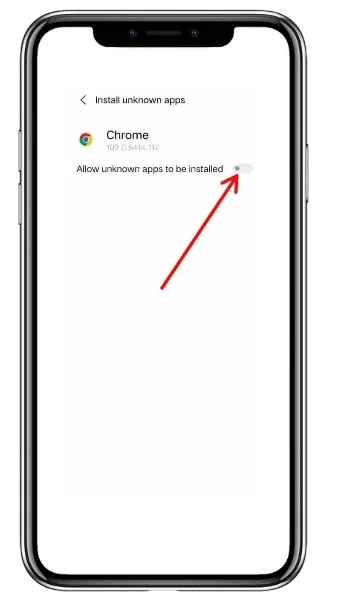
Allow the correct installer: Android may request permission for your browser or file manager to install unknown apps. The settings path varies by device.
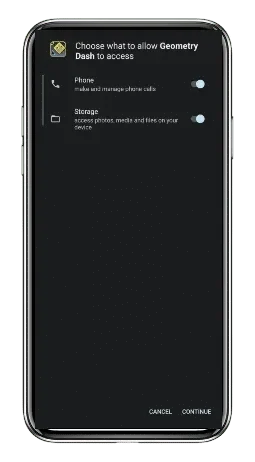
Review installation prompts: Open the package and read the prompts before proceeding. Leave Play Protect enabled; investigate warnings instead of dismissing them.
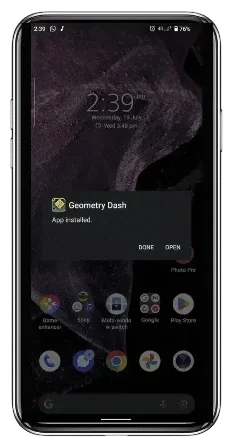
After installation: Confirm the game opens and your progress is intact. Disable the installer permission afterward if you no longer need it.
PC
Native desktop release or emulator
PC Installation Choices
The native Steam release is a separate option from running Android software in an emulator. Choose it if you want the official desktop game.
Choose your route: For native play, install through Steam. For an Android package, use an emulator that supports your operating system and hardware.
Check requirements: Read the emulator’s current requirements separately. A PC that meets the game’s native requirements may still struggle with emulation.
Install the matching file: Use the emulator’s documented APK-install method for Android software. An Android package does not install as a native Windows or Mac game.
Compare input behavior: Test a simple stage first. Adjust settings gradually rather than assigning more memory or CPU resources than your computer can spare.
iOS
Official App Store installation
iPhone and iPad Installation
Use Geometry Dash on the App Store for the official iPhone or iPad release. APK files cannot run on iOS.
Check compatibility: The checked listing requires iOS or iPadOS 12.0 or later. Confirm the current requirement on your device before purchasing.
Install the official app: Check that the seller is RobTop Games AB. Complete installation through the App Store rather than an unrelated download button.
Restore saved progress: Log into your existing game account and use Load when appropriate. Confirm your old device saved successfully before relying on a transfer.
Keep routes separate: IPA sideloading is an alternative distribution method, not an official Geometry Dash download or a way to install an Android APK.
Browse a Level, Then Practice It
Online browsing and practice solve different problems. Browse for a suitable challenge, then isolate the section that stops your run.
Find and Save a Community Level
Use the level ID or name to find a stage again. Check its difficulty before attempting it, and download any required music while connected.
- Find the level: Search by ID or use available difficulty filters.
- Prepare the files: Download the level and any missing song while online.
- Save the choice: Keep the stage available so you can find it again.
Turn Practice into a Full Run
Put a checkpoint before the obstacle, learn the entry timing, then remove the checkpoint. A successful practice section should translate into a Normal Mode run.
- Learn the entry: Place a checkpoint before the difficult transition.
- Repeat the route: Practice the obstacle and its landing together.
- Test without checkpoints: Attempt the same route in Normal Mode.
Full Game vs Lite: What You Actually Get
Lite offers a free introduction with ads. The paid full game includes the editor and broader content. Check the current edition before relying on an old level-count comparison.
| Feature | Geometry Dash Lite | Official Full Game |
|---|---|---|
| Cost | Free, ad-supported | Paid official release |
| Advertising | Contains ads | Full game is ad-free |
| Level Editor | Full editor is not included | Build and share custom levels |
| Campaign | Selected stages; content changes with updates | Full classic campaign plus Platformer stages |
| Online content | Selected content; check current edition | Broader community-level browsing |
| Practice Mode | Included | Included |
| Offline play | Local stages; online features need internet | Local stages; downloads and sync need internet |
| Official source | Google Play Lite listing | Google Play full-game listing |
Official Levels and Their Difficulty
The full game’s classic campaign includes 22 levels. The four original Tower stages form a separate Platformer set; secret and community stages belong to other categories.
The 22 Classic Campaign Levels
Use the difficulty labels below to choose your next classic stage. The 2.2 release notes also describe four Tower stages, which use Platformer controls and form a separate set.
- ⭐ Stereo MadnessEasy
- ⭐ Back On TrackEasy
- ⭐ PolargeistNormal
- ⭐ Dry OutNormal
- ⭐ Base After BaseHard
- ⭐ Can't Let GoHard
- ⭐ JumperHarder
- ⭐ Time MachineHarder
- ⭐ CyclesHarder
- ⭐ xStepInsane
- ⭐ ClutterfunkInsane
- ⭐ Theory of EverythingInsane
- ⭐ Electroman AdventuresInsane
- ⭐ ClubstepDemon
- ⭐ ElectrodynamixInsane
- ⭐ Hexagon ForceInsane
- ⭐ Blast ProcessingHarder
- ⭐ Geometrical DominatorHarder
- ⭐ Theory of Everything 2Demon
- ⭐ DeadlockedDemon
- ⭐ FingerdashInsane
- ⭐ DashInsane
Music, Sound Effects and Custom Songs
Music, level sound effects, and downloaded songs serve different purposes. Lower one volume at a time when diagnosing audio problems.
Sound Effects
- Music: Listen for timing cues without ignoring the obstacles.
- Level effects: Creators can use sound effects in their stages.
- Volume balance: Adjust effects if they distract from the music.
Audio Features
- Music volume: Change it separately from effect volume.
- Missing audio: Check volume settings and song downloads first.
- Audio delay: Compare setups before assuming the game is at fault.
Community & Music
- Custom songs: Download required tracks while connected.
- Music libraries: Availability depends on the song and game edition.
Choose a Download or Platform Guide
Choose your device’s official store or read the platform guide first. The Android guide is an informational page, not evidence that a third-party package is verified.
Android Options
Read the Android installation guide before choosing a package. Use Google Play for the official release.
- ✓ Official Android store link
- ✓ Check device compatibility
- ✓ Separate APK installation guide
PC Options
Steam provides the official desktop game. The PC guide also explains the separate emulator route.
- ✓ Native Steam option
- ✓ Check desktop requirements
- ✓ Separate emulator guide
iPhone and iPad Options
The official iPhone and iPad app is available through the App Store. Review its current compatibility before installing.
- ✓ RobTop’s App Store listing
- ✓ Check iOS compatibility
- ✓ No Android APK installation
Before You Start a Difficult Level
Choose a manageable stage and set a small practice goal. One clean transition is more useful than repeatedly rushing an entire difficult level.
Tips for Consistent Progress
Pick a level you can understand, then work on the section that stops your progress. The level-selection guide can help you choose where to begin.
Master Hard Levels
- Identify the section where your run stops.
- Practice its entry, transition, and landing.
- Repeat until you can complete the route consistently.
Follow the Music Rhythm
- Use a comfortable music volume.
- Compare timing cues with the visible obstacles.
- Avoid tapping on every beat automatically.
Optimize Your Controls
- Keep the input method consistent while learning.
- On PC, compare mouse clicks and your chosen jump key.
- On mobile, avoid covering the next obstacle.
Avoid Common Beginner Mistakes
- Make each input deliberate.
- Use practice when a specific section needs work.
- Take a break when frustration makes inputs less precise.
Geometry Dash Mod APK: Benefits and Limits
A modified build may change unlocks or other behavior, but features vary. Consider those changes alongside update, account, and compatibility limitations.
- Some builds may change cosmetic unlock requirements.
- Some projects may add practice-related tools.
- Listed changes depend on the exact project and version.
- Read the changelog before relying on an advertised feature.
- Third-party changes are not RobTop’s official release.
- Account and save behavior needs build-specific verification.
- Keep a confirmed backup before replacing your installation.
- Check compatibility and evidence; no label guarantees safety.
Before Switching to a Modified Build
Before switching packages, protect your progress and identify exactly what will change. An advertised feature is not the same as a tested result.

Confirm Your Backup
Use the game’s Save option and wait for confirmation before switching. A failed save is not a backup. Keep your current installation until the error is resolved.
Identify the Build
Write down the version and source you plan to use. Check whether its listed changes match your reason for switching. Do not infer extra features from the APK extension.
Check Compatibility
Compare the package’s required Android version with your device. Check the exact build rather than a general “works everywhere” claim. Native desktop and emulator compatibility need separate checks.
Understand Account Changes
Mods can change how completion or account features behave. Read the project’s documentation before relying on cloud saves or online statistics. The official game’s behavior does not establish a modified build’s behavior.
Plan Future Updates
An official store update and a third-party package update follow different routes. Check compatibility before replacing a build. Avoid installing a new package solely because its filename uses a higher version number.

Check the APK Before Installing
Before installing Geometry Dash Mod APK, compare its source, file hash, permissions, and available scan report. VirusTotal aggregates scanner results, but a clean result does not prove authenticity or guarantee safety. This guide does not certify a particular download.
Device Compatibility and Storage
Read the current listing for your platform. Download size, installed size, and space used by songs or saved levels are different measurements.
Mobile Devices
Official mobile listings
Android: Check Google Play compatibility on your device. A separate APK’s minimum Android version depends on that exact package; this guide does not provide a verified universal minimum.
iPhone and iPad: The checked App Store listing requires iOS or iPadOS 12.0+. Its listed download size is 190.6 MB, which can change with updates.
Windows PC & macOS
Native game and client requirements
Windows: Steam publishes 512 MB RAM, a 2.0+ GHz processor, OpenGL 2.0 support, and 100 MB storage for the game. Its client requires Windows 10 or later.
Mac: Check the Steam requirements and current client support separately. The App Store’s Apple Silicon-compatible app is another route, with its own requirements. Emulator requirements are different again.
Official Store Snapshot
IOS DOWNLOAD SIZE
IOS MINIMUM
GOOGLE PLAY INSTALLS
GOOGLE PLAY RATING
Store figures above were checked on October 1, 2026. Ratings, sizes, and availability can change. They describe the named official listings, not a modified Android file.
Watch RobTop’s Official Trailer
Early Levels: What to Practice

1. Stereo Madness
Learn the basic jump timing before chasing a flawless run. In Stereo Madness, focus on recognizing the next obstacle early and keeping your inputs deliberate.

2. Back On Track
In Back On Track, notice how jump pads change your movement without the same input as a normal jump. Practice the landing position before continuing.
3. Polargeist
Polargeist introduces jump rings. Unlike a pad, a ring needs an input while you pass it. Practice the activation point instead of tapping too early.
5. Base After Base
Base After Base builds on mechanics from earlier stages. Watch gravity changes and practice the landing after each transition, rather than memorizing only the first jump.
7. Jumper
Jumper combines jumps and changes of movement. Break a difficult sequence into an entry, a transition, and a landing. Practice the whole sequence once each part feels consistent.
8. Time Machine
Time Machine introduces mirror portals that reverse the screen direction. Watch the next obstacle after each transition and practice its timing until the changed view feels familiar.
9. Cycles
Cycles introduces the Ball form. Its gravity changes need different timing from cube jumps. Learn the first ball section before trying to finish the entire stage.
Icons and Character Forms
Your icon changes appearance, while the active character form determines movement. A new skin does not create a new gameplay mode.
Read the requirement beside an icon before trying to unlock it. A modified build may alter that requirement, but cosmetic unlocks depend on the specific package.
Types of Icons
The eight main character forms are Cube, Ship, Ball, UFO, Wave, Robot, Spider, and Swing. Swing joined the game in update 2.2.
Official Game vs Modified Build
The official release comes from RobTop’s store listings. A modified Android build comes from a third-party publisher, whose changes need separate verification. Compare its actual changelog with the official features before assuming it offers something extra.
Saving, Offline Play and Practice Limits

Upload vs Cloud Backup
Uploading a level and saving account progress are different actions. Check both independently before changing devices. A working upload does not prove your latest progress has reached the cloud.

What Offline Play Includes
You can play local official stages offline. Browsing online levels, downloading missing songs, and transferring cloud data need internet. Download the material you need before a trip.
Keep Skill Claims Specific
Practice may help you learn a specific stage’s timing. It does not establish a guaranteed improvement in general reaction speed, concentration, or other abilities outside the game.
Lite, Meltdown, World, SubZero
Official Editions and Spin-Off Games
RobTop publishes separate Geometry Dash editions. Fan-made games and private servers are different projects; do not treat every similarly named download as an official spin-off.
Geometry Dash Lite
The official Lite edition is a free, ad-supported starting point. Its available levels and selected online features have changed over time. Check the current listing rather than an old fixed count.
Geometry Dash Meltdown
Meltdown is a separate RobTop game with its own stages and music. It is not a full-game update or evidence that an unrelated package is official.
Geometry Dash World APK
World is another separate RobTop release with short stages and selected online content. Its feature set differs from the full game; compare the current store descriptions.
Geometry Dash SubZero APK
SubZero includes Press Start, Nock Em, and Power Trip. It has its own app listing and does not replace the full game’s editor or campaign.
What Update 2.2 Added
Dash and the Tower
- Dash joined the classic campaign in update 2.2.
- Four separate Tower stages introduced Platformer gameplay.
- Classic completion and Platformer progress use different mechanics.
Editor Camera Controls
- Camera triggers let creators change a level’s view.
- Movement and zoom effects depend on the level design.
- These are editor features, not guaranteed manual camera controls.
Icons and Effects
- The update expanded the available icon collection.
- Unlock requirements still depend on the item.
- Cosmetic choices change appearance rather than difficulty.
How the Controls Work
Classic gameplay uses a main action input whose effect changes with the character form. Platformer gameplay also has movement controls.
Gameplay Input
- Classic mode: Your action depends on the current character form.
- Mobile Classic mode: Use the gameplay input on the screen.
- PC: Check the active bindings in your version and setup.
- Controller: Check how your action button is mapped.
- Platformer mode: Movement controls are also required.
Keys in Geometry Dash
1. Practice Checkpoints
In Practice Mode, the default PC controls use Z to place a checkpoint and X to remove one. Mobile players use the checkpoint buttons. Check your settings if controls differ.
💡 These keys help you practice without replaying the entire level.2. Restarting a Run
Use the game’s pause menu to restart a run. Platformer checkpoints and Classic Practice Mode checkpoints serve different purposes; check the current mode before restarting.

3. Pausing
On PC, Esc opens the pause menu. On mobile, use the pause button. Pause before changing settings or switching away from a difficult section.
4. Music and Effects Volume
Adjust music and sound effects in the game’s settings. Do not assume a universal mute shortcut works on every platform, emulator, or modified build.
Gameplay Screenshot Gallery


Official Full Game, Lite and Modified Builds
| Comparison | Official Full Game | Lite | Modified Android Build |
|---|---|---|---|
| Publisher | RobTop Games AB | RobTop Games AB | Third-party publisher |
| Distribution | Official stores / Steam | Official mobile listing | Project-specific source |
| Cost | Paid | Free with ads | Varies by project |
| Modifications | Official features | Official Lite feature set | Changes vary; verify the build |
| Updates | Through the official distribution route | Through the official app listing | Depends on the project |
| Verification | Check the official listing | Check the official listing | Check version, source, signature and test evidence |
Before an Update or Reinstall
Finish these checks before an update or reinstall. Saving successfully matters more than completing installation quickly.
Confirm Your Cloud Save
- Use Account → Save on the device holding your progress.
- Wait for successful confirmation before replacing the app.
Check the Replacement
- Identify the publisher and exact version.
- Check package compatibility and available scan evidence.
Verify the Result
- Follow the installation route for your platform.
- Open the game and confirm the expected progress is present.
Frequently Asked Questions
These answers distinguish official releases, Android packages, and modified builds. Check the relevant platform before following an installation method.
It is an Android installation package. The extension does not establish whether the contents are official, modified, current, or suitable for your device.
The label Geometry Dash Mod APK does not establish safety. Check the exact publisher, package, and available evidence. This page has not independently certified a particular modified file.
Local official stages can work offline. Online browsing, missing-song downloads, and cloud saving need a connection. Offline access does not mean every community feature works without internet.
Use Steam for the official desktop release. Android packages need a compatible Android environment, such as an emulator; they do not install as native PC games.
No. Android APK files cannot run on an iPhone. Use the official App Store release for the native iOS game. IPA sideloading is a separate method.
The official full game includes a Level Editor and community browsing. Third-party build support varies. Lite’s selected online features do not provide the same scope as the full game.
Secret Coins belong to their own collectible total. They help meet specific unlock requirements; they do not increase your star count.
The official full game is paid. Lite is a separate free edition with ads. A third-party file being free does not make it an official release.
Choose Your Next Step
Choose the official release for your platform when you want RobTop’s published game. If you compare modified builds, verify the specific changes and protect your progress first. Use the platform guides above for the next step.
Sources: official Android listing; iOS listing and update history; desktop requirements; RobTop’s account FAQ; VirusTotal’s explanation of scanner results .